A tour of KHAT
See KHAT at work, screen by screen.
Not a list of features. These are the real screens from the demo, on sample data, in the order of a teacher’s week — shown in Arabic, the way teachers use them. Every screen has a link that opens it in the demo itself.
Who stopped is visible the moment you open it.
Today opens on who needs you: who stopped opening lessons a week ago, and who hasn’t opened the lesson the class has reached. Tap “See who” and they are there by name, with each one’s last activity and average.
Open Today in the demo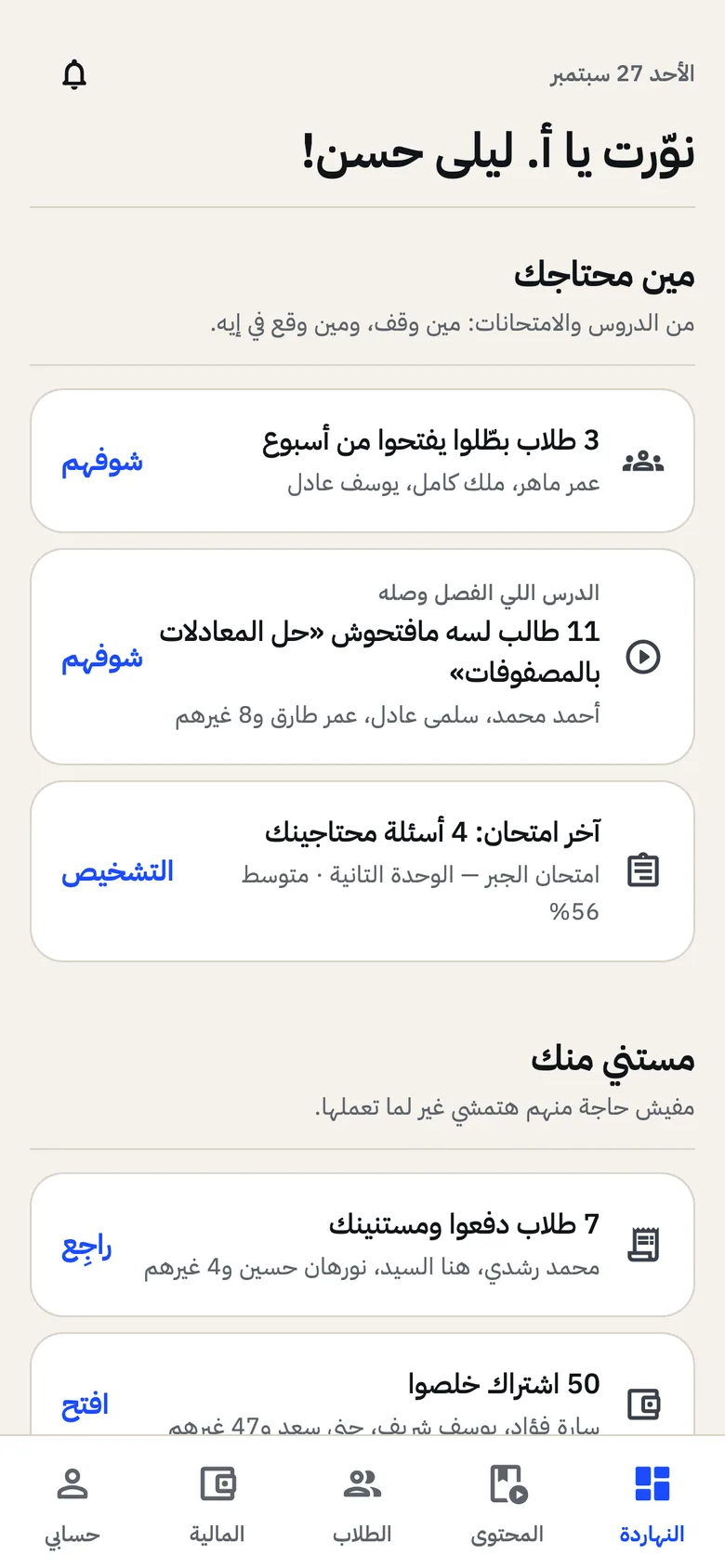
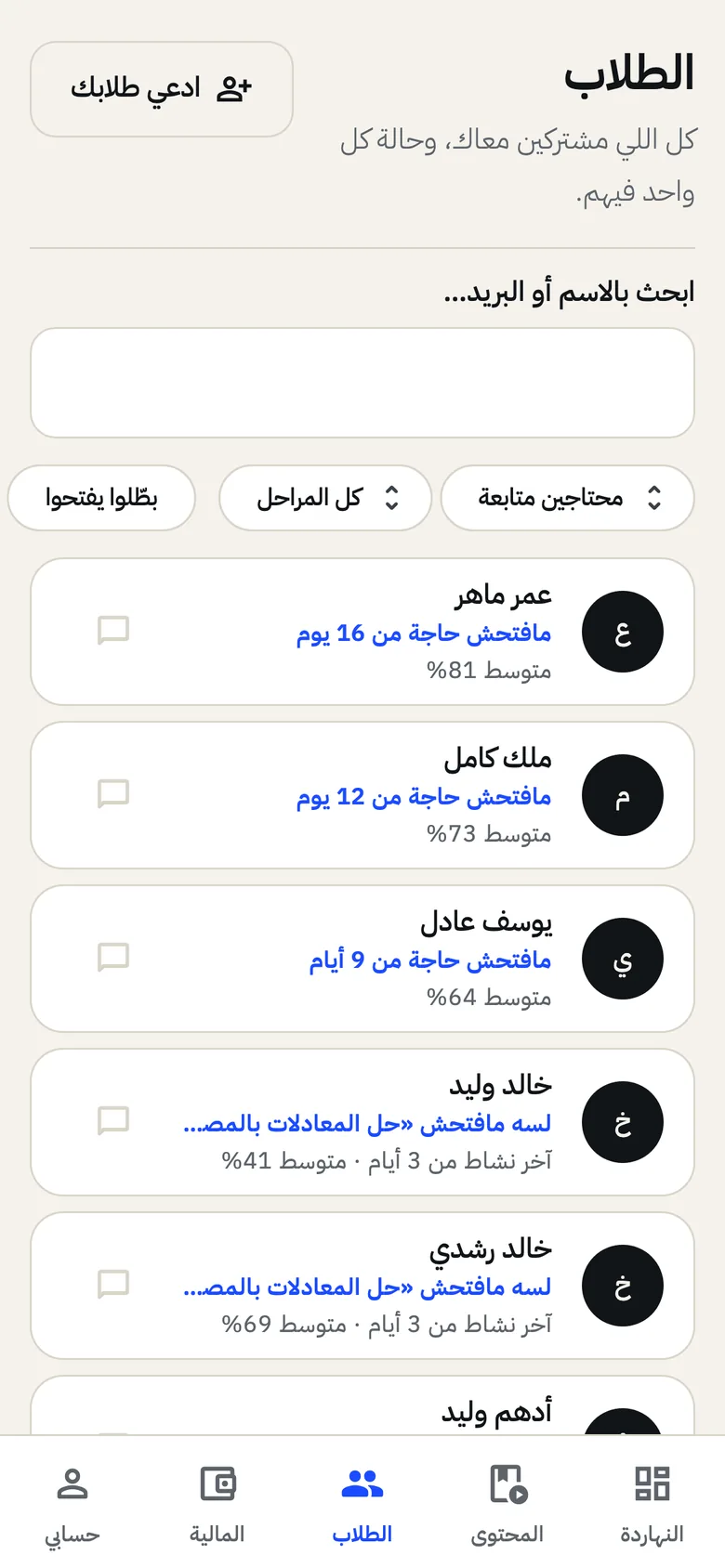
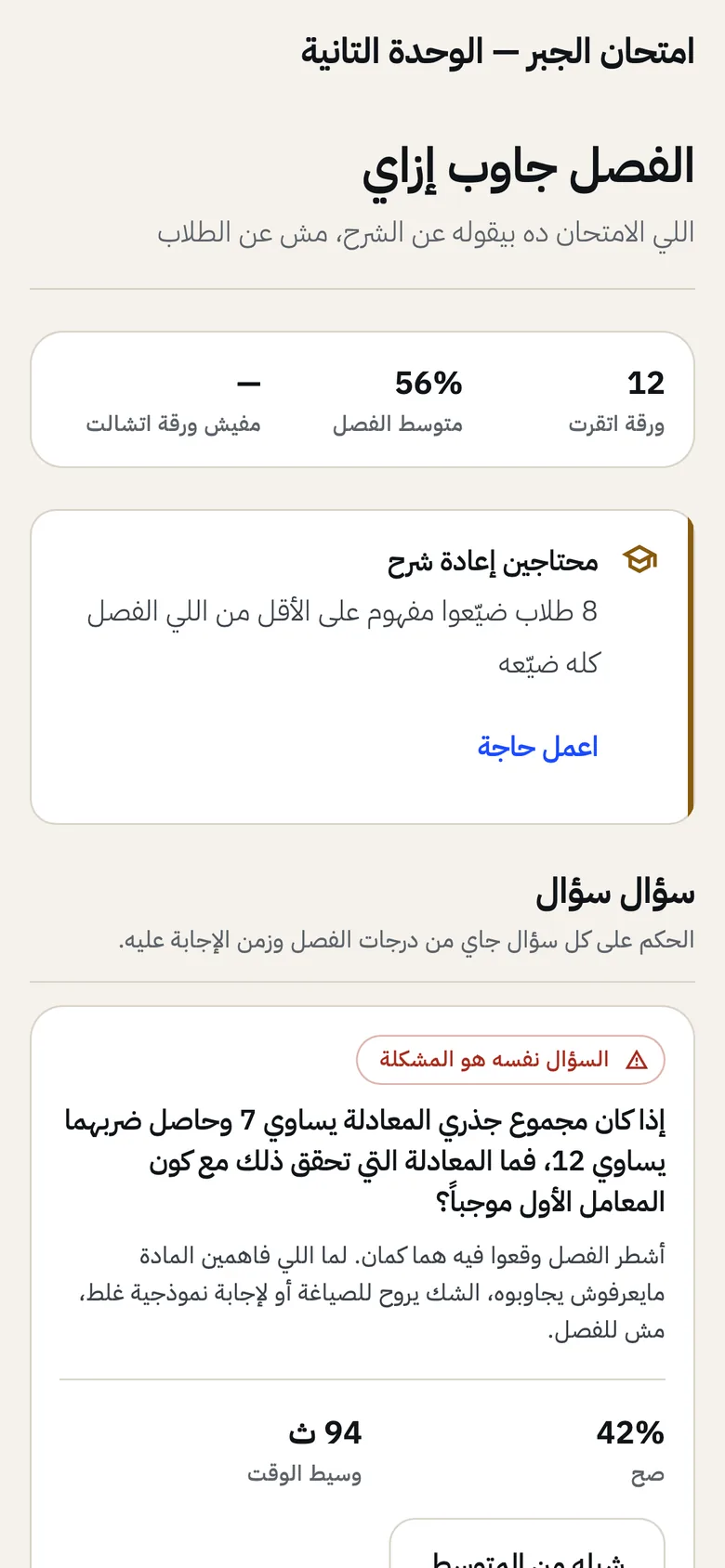
The paper tells you where the teaching fell short, not just the mark.
The diagnosis sits above the attempts: how many questions need you, and who needs re-teaching by name. Inside each question, a verdict in a sentence: the question itself is wrong, the concept didn’t land, or nobody read it.
Open the diagnosis in the demo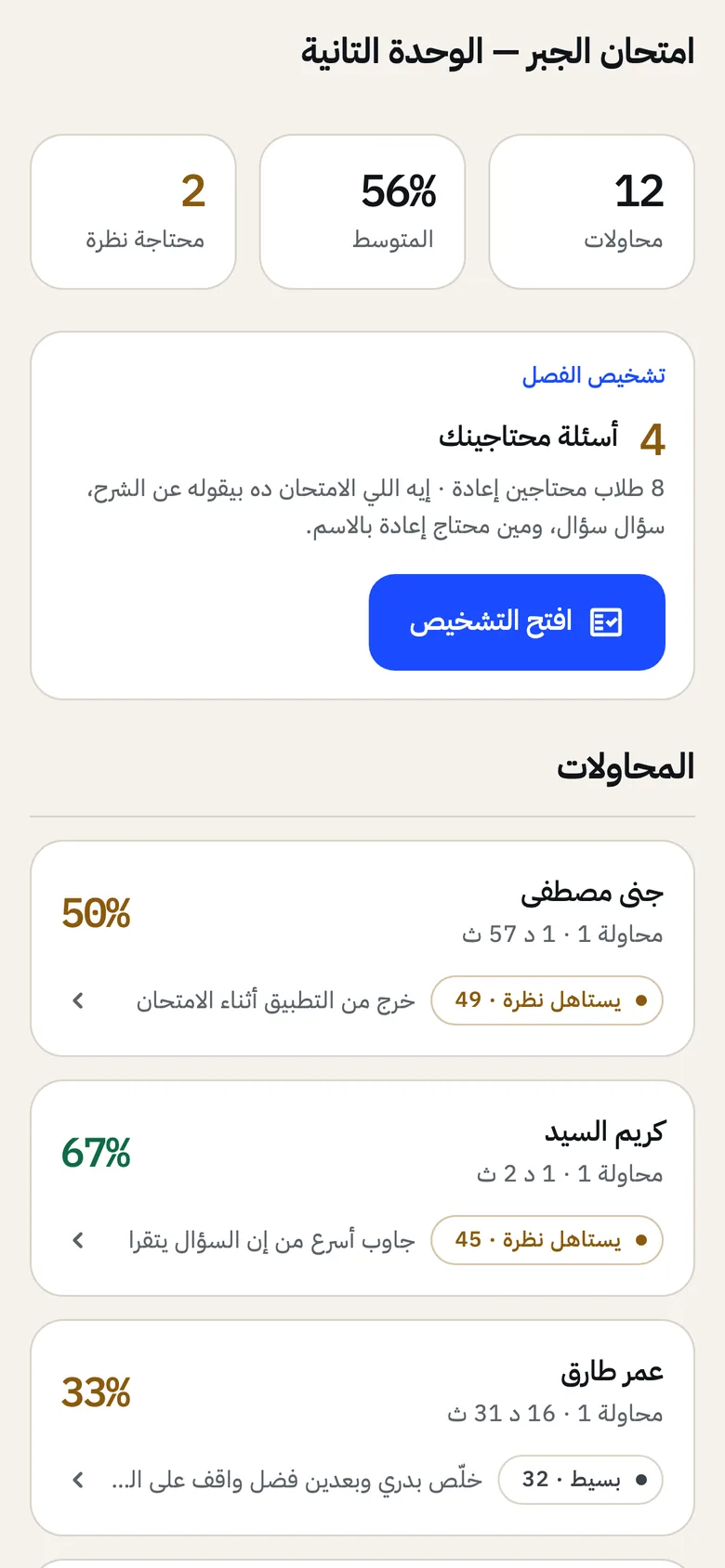
The class is over, and the report knows who you lost.
Who attended, the minute attendance dropped, and which of the students already falling behind were missing. The report prints or saves as a PDF in one tap.
Open the class report in the demo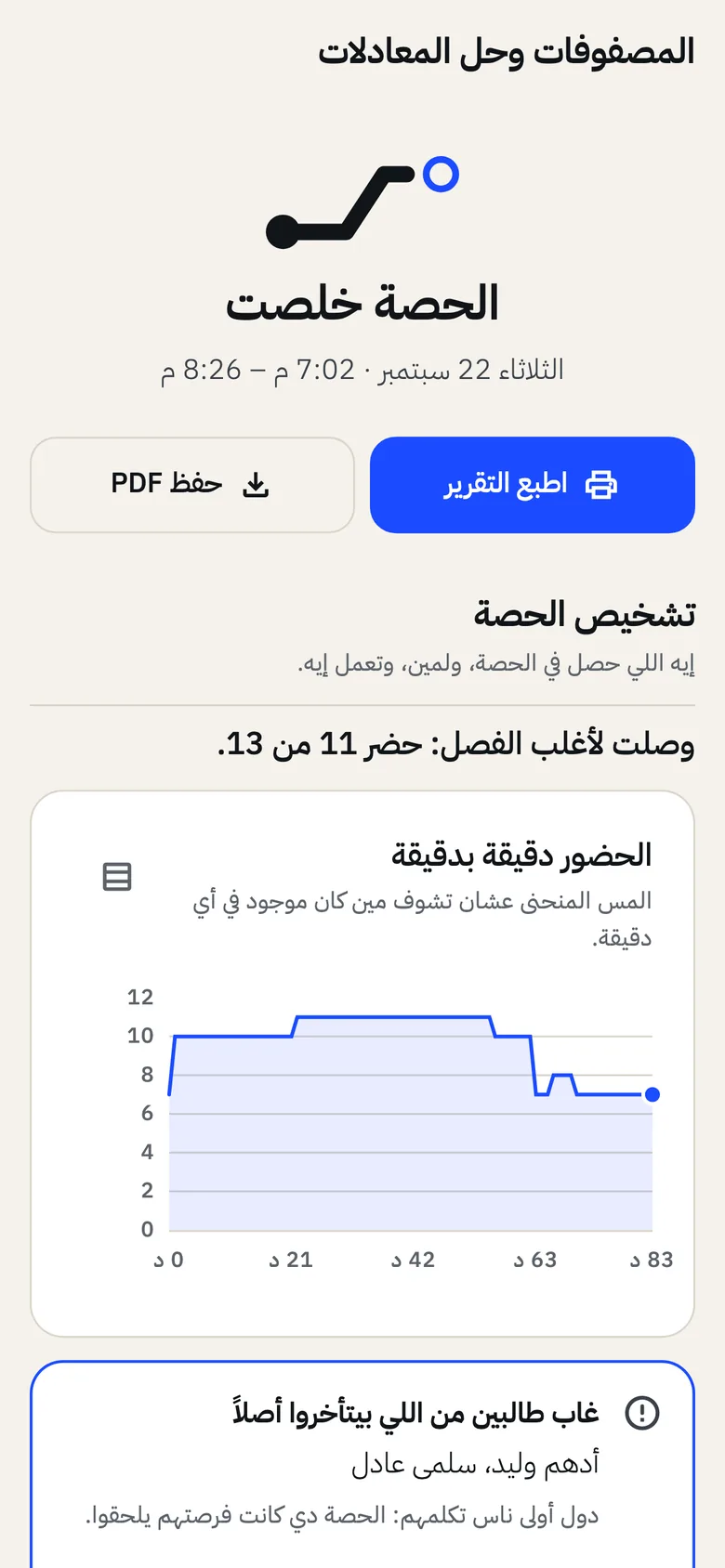
Who paid and who didn’t, on one screen.
Students transfer and upload a photo of the transfer; you approve or refuse on the same screen. For anyone whose subscription has run out, the message to their parent is ready, with how to pay.
Open Money in the demo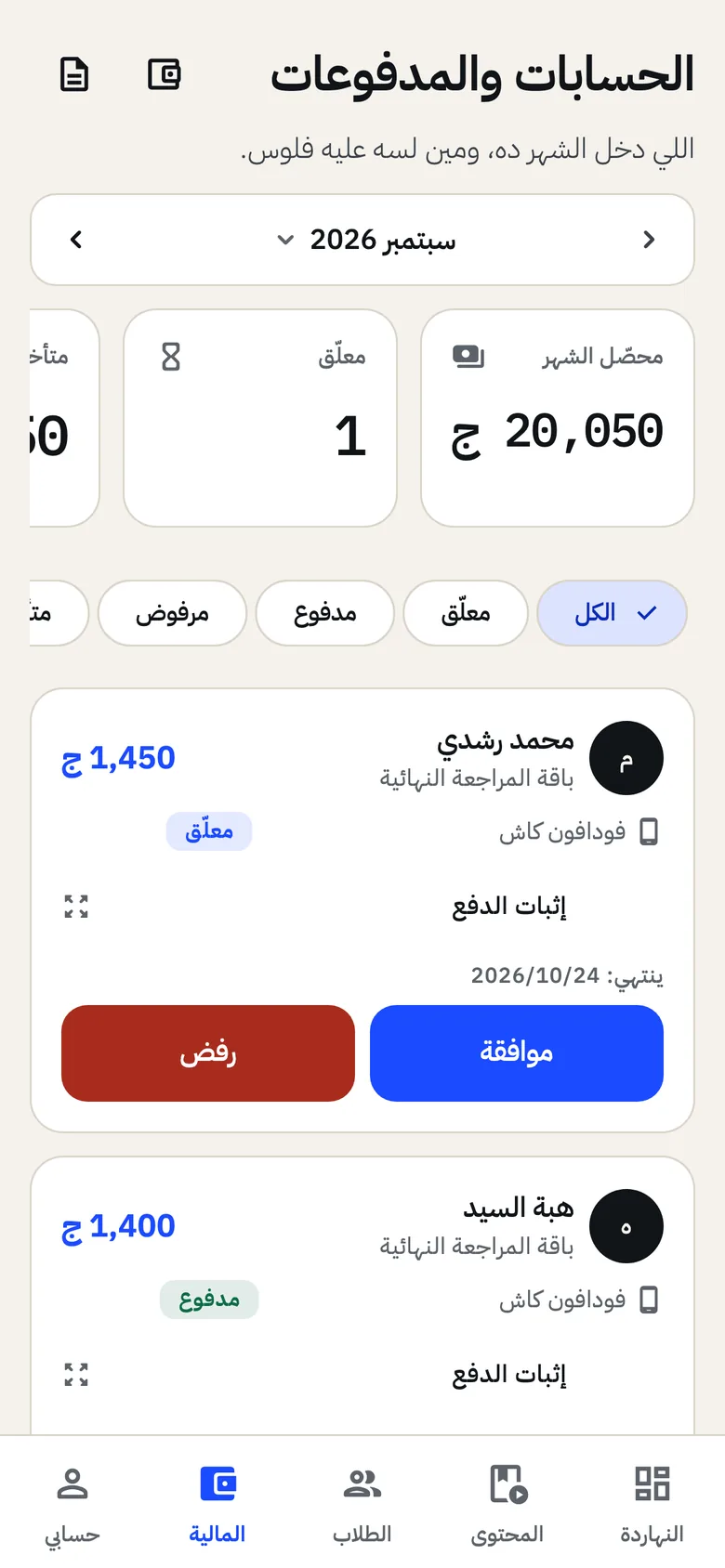
The student sees your platform, and their next lesson.
Your name and logo at the top, their path so far, and one line telling them what to do. The next live class is right there with its time.
Open it in the demo as the student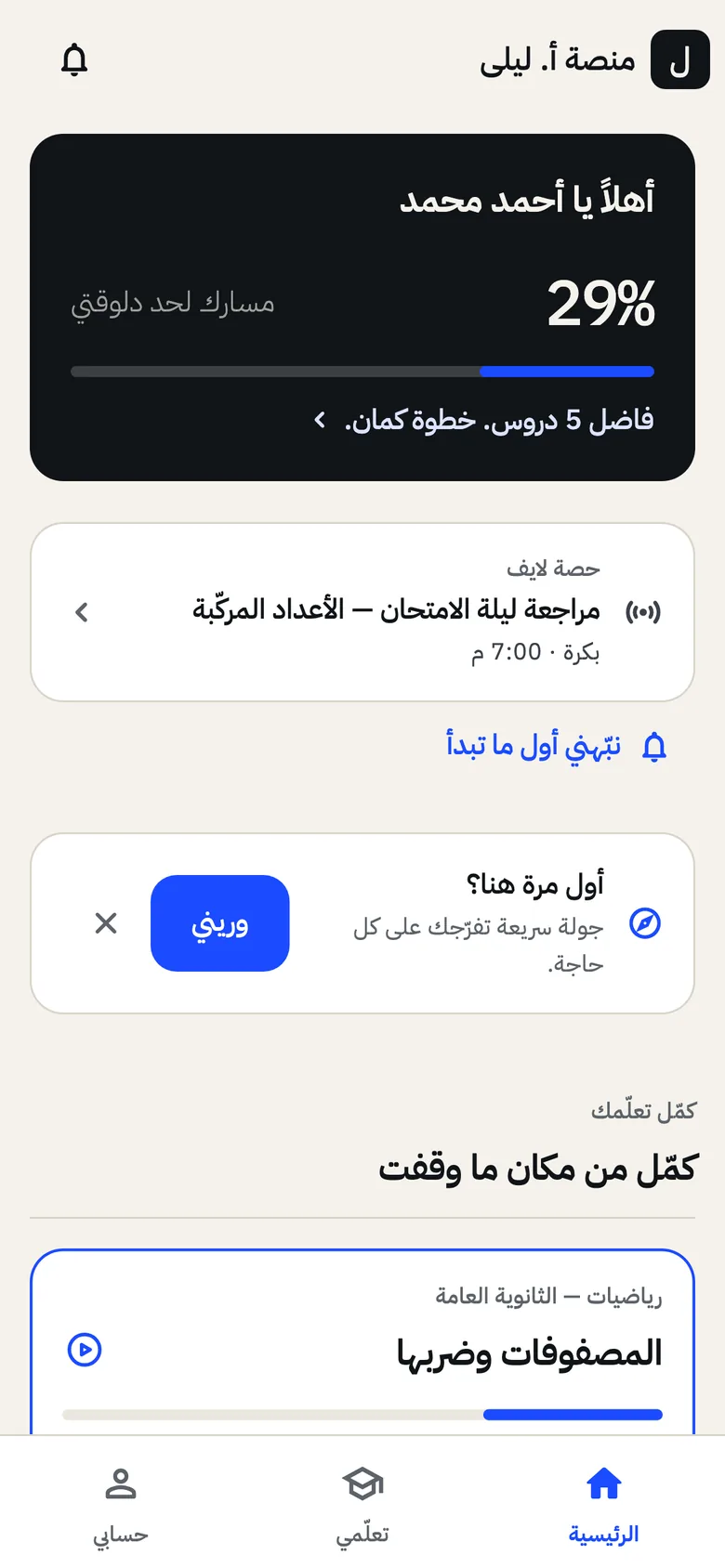
Parents hear from you, not from the result.
From any student’s file, a ready message goes to their parent on WhatsApp: a quick report, an absence alert, a results alert, or a renewal reminder.
السلام عليكم، أنا أ. ليلى حسن.
بخصوص خالد وليد — درجاته نزلت شوية، ومتوسطه دلوقتي 41%.
محتاج يراجع الدروس اللي فاتت. ممكن نتفق على خطة مذاكرة؟
منصة أ. ليلى
That was sample data. On your own students, you’ll see it after the first exam.
Open your platform — 7 days freeNo card · And if you subscribe and it isn’t for you, your money back in full within 14 days